| Printers and printing policy |
Printing policy
- Users should take good care of the printer, it is a fragile and expensive
equipment.
- Printing is only for students takings courses at CSIM program. The access
to the printer is restricted through the printing server oak.cs.ait.ac.th,
which is the domain controler for the domain SAMBA. Students have
to connect to SAMBA domain before they can use the printers.
- Printing is limited by a quota system. When a sheet of paper is printed
on both sides, it counts for two pages.
- Printing quota is set to 4500 sides of page for a full 48 credits master
degree in CSIM in Bangkok. The initial quota will be adjusted with respect
to the number of credits taken in CSIM in Bangkok.
- Additional quota may be purchased at the price of 100 Baht for 100 pages.
The purchase page gives you instructions on how
you can buy more printing quota.This price may be revised without prior notice,
depending on the evolution of the cost of paper, toner and printer.
- Printing quota may be checked on the account
management page.
- Printing paper is provided by CSIM program, when a printer is empty, student
should ask on of the laboratory supervisor to refill paper.
- Initial printing quota has been fixed after comparison with other fields
of study in AIT. The quota is assuming users will choose to print on both
side of the page whenever it is possible.
Printing at night
and during week ends
For your convenience, a printer has been installed in the laboratory, this
printer will be available at night and during week ends. The printer is freely
available, but we request that you abide by the following points in addition
to the policy mentionned above:
- The printer is duplex, so do not grab the pages before they are completely
out of the printer. To save paper, please print on both side of the pages.
- Be gentle when you load paper in the printer; the printer trays are 500
pages each, that may not be enough for a whole week end, so you could load
some more paper, but do not force anything, so the paper tray will not break.
Use only new, undefected, A4 paper.
Be very gentle when you put some paper in the paper
tray: if the trays are broken there will be no more printer for nigh and week
ends.
- The quota system is enforced on this printer too.
- Do not try to move the printer, disconnect it from the current computer
or connect it to another computer.
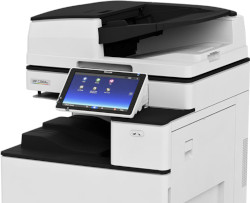
Printers
Note: The users of Windows Vista should use the printers \\banyan\big PS vista, \\banyan\big PCL vista and \\banyan\magnum PCL vista.

HP 4015x |

HP 4300 dtn
|

HP L 7580 |
Accessibility: day only
Location: room #212
Name for windows:
\\banyan\magnum PS 
Name for Unix: magnum
Speed: up to 60 pages/minute
Duplex: available
Volume printing: yes
Paper tray: 1000 sheets
Set-up: see the set-up page
This should be the prefered choice for printing. |
Accessibility: any time
Location: laboratory #210
Name for windows:
\\banyan\big PS
Name for Unix: big
Speed: up to 35 pages/minute
Duplex: available
Volume printing: yes
Paper tray: 1000 sheets
Set-up: see the set-up page |
Accessibility: any time
Location: room #123
Name for windows:
HP Officejet Pro L7500 series
Name for Unix: sec
Speed: up to 20 pages/minute
Duplex: available
Volume printing: no
Paper tray: 250 sheets
Set-up: set-up page |
Printing for faculty
and staff
The printer HP L7580 is attached directly to the network and do not require
any authentication to be used. Usage is controled by Tong: the printer is on her desk. As the printer is also doing fax, it is connected all the
time.
For other printers, printing statistics are collected for faculty and staff,
but no quota limit are set-up. The connection to SAMBA domain remains
necessary before you can use any of the above printers.
Individual printers may be attached to personnal computers, on those individual
printers, no statistics are collected. When an individual printer is attached
to a computer running Microsoft Windows, the printer can be set-up to be used
also from Unix, please contact Olivier for that purpose.